reagiraj.ba is a lung cancer risk self-assessment built for the EU Interreg IPA project LIFEGATE. It is a short questionnaire: a few steps, a result screen with a risk level and a recommendation, and nothing else. After launch, the team needed to know how many people started the questionnaire, how far they got, and how many completed it.
The full project is in the reagiraj.ba case study, and this kind of setup is part of my analytics and tracking work.
That sounds like standard funnel tracking. It turned out to be a good lesson in why "just add it in Google Tag Manager" does not always work for a single-page app.
The setup
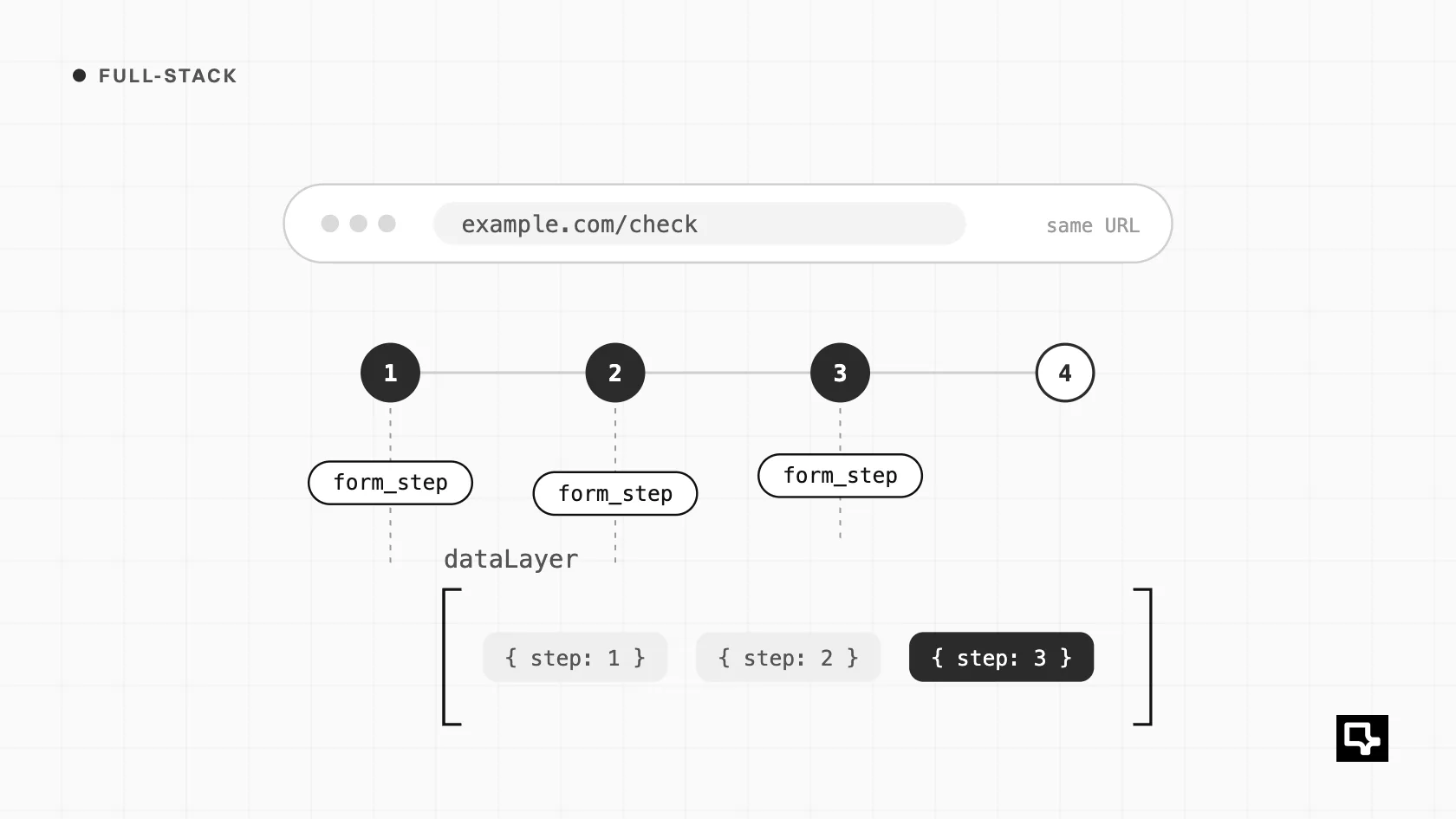
The questionnaire is a React single-page app. All steps live in component state. Moving from step 1 to step 2 does not change the URL, does not trigger a page load, and does not push a history entry. From the browser's point of view, the visitor stays on the same page the whole time.
That rules out the usual approach of tracking page views or history changes per step. There is nothing to track.
First attempt: Element Visibility triggers
Google Tag Manager has an Element Visibility trigger that fires when a matching element appears on screen. For the final conversion, this worked well. The result screen has distinctive content, so I could fire a "completed" event when it became visible.
So the important conversion was covered, and it went live quickly. The problem was everything before it.
The problem: no stable selectors
To track steps 2 and 3, I needed a reliable way to recognise them in the DOM. There was none.
- The answer options were
divelements withrole="radio", without names or ids. - The steps used identical utility classes, so a step 2 container looked the same as a step 3 container.
- Nothing in the markup said "this is step 2".
I could have written fragile selectors based on element order or text content, but those break the moment someone edits a question or reorders the layout. For a project where the numbers go into reports for the hospital and an EU project, fragile tracking is worse than no tracking.
This is the core issue with tracking from CSS selectors in a modern frontend: the DOM is an implementation detail. It is not designed to be an analytics API, and it changes whenever the UI changes.
The proper fix: push events from React state
The app already knows exactly which step the visitor is on. That knowledge lives in React state. So the right place to emit tracking events is the app itself, not a selector in GTM.
I push a form_step event to the dataLayer whenever the step changes. A simplified version looks like this:
// Simplified sketch, not the production code
import { useEffect, useRef } from "react";

declare global {
  interface Window { dataLayer?: Record<string, unknown>[] }
}

export function useStepTracking(step: number, totalSteps: number) {
  const lastTracked = useRef<number | null>(null);

  useEffect(() => {
    if (lastTracked.current === step) return; // no duplicates on re-render
    lastTracked.current = step;
    window.dataLayer = window.dataLayer || [];
    window.dataLayer.push({
      event: "form_step",
      form_step: step,
      form_total_steps: totalSteps,
    });
  }, [step, totalSteps]);
}
In GTM, a Custom Event trigger listens for form_step, and a Data Layer Variable reads the step number. From there, the step events go to GA4 like any other event, and the funnel report works without a single CSS selector.
The same hook gives me something the visibility trigger never could: control over what counts as a conversion. A visibility trigger fires whenever an element appears, even if the submission failed and an error state rendered something similar. When the event comes from the app, I can push the completion event only after the submission has actually succeeded. Failed submissions no longer count as leads.
The general rule I took from this: GTM is a good routing layer, but the app should be the source of truth for what happened. If a meaningful event exists in your state, emit it from your state.
Privacy: measuring a health tool with care
This part mattered more than the technical problem.
reagiraj.ba is a health tool. People enter information about smoking history, symptoms and medical history, and they get a risk level back. That is sensitive. Measuring usage must never mean leaking anything about a person's health to analytics or any other third party.
So I drew a hard line around what leaves the app:
- The risk level is never sent to analytics. GA4 knows that someone completed the questionnaire. It does not know whether the result was low, moderate, high or urgent.
- No advertising profiles: nothing about a person's health leaves the app.
The step events follow the same rule. They carry the step number and nothing else: no answers, no measurements, no scores.
The hospital team still gets the analytics they need, but in the right place. The admin dashboard behind the app, with its own database, shows demographic, geographic and risk analytics for the people running the project. Analytics only ever sees anonymous funnel events.
What I would do from the start next time
If I were building a similar multi-step app again, I would add the tracking hook on day one, together with a short tracking plan: which events exist, what data each one carries, and what must never be sent. It takes very little time during development, and it avoids a late scramble when the app is about to launch.
And for anything health-related, I would write down the privacy rules before writing any tags. It is much easier to design measurement around a clear line than to check afterwards what might have crossed it.